Elite Court Piece is on Google Play: become a tester
Our Court Piece app for Android is on Google Play for testing. Join our testers’ group, become a tester, and install the app before anyone else: here is how, step by step.
Our Court Piece app for Android is ready, and it is on Google Play. Before Google lets everyone download a new app, real players have to test it for 14 days. That is where you come in: join our testers, and play the app before anyone else.
It is the same game as on this website, made for a phone held sideways. You log in with your Elite Games Club account, and your coins, friends, stats and finished tables come with you.
What you need: an Android phone and a Google account (a Gmail address). Use the same Google account as your phone’s Play Store for every step. The app is not on iPhone yet.
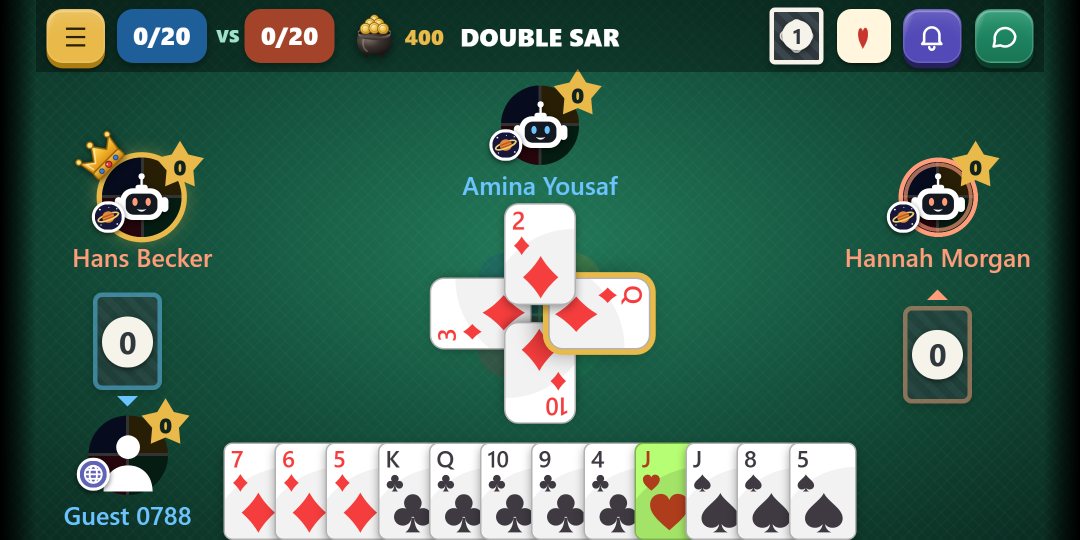
A hand being played in the app.
Why you join a group first
The app is in a closed test on Google Play, so you cannot find it by searching the Play Store yet: only people on our testers’ list can see it and install it.
Our testers’ list is a Google Group, Elite Court Piece Testers, so joining the group is what puts you on the list. It is free and takes a few seconds, and nobody in the group can see your email address.
Please keep the app for 14 days
Google needs at least 12 testers to keep the app installed for 14 days in a row before it can be released to everyone. Play whenever you like, as much or as little as you like, but please do not uninstall it during those 14 days.
Updates come by themselves from Google Play. Tell us what you think: what you like, what is hard to find, and anything that does not work.
How to join, step by step
1. Join our testers’ group. On your phone, open groups.google.com/g/elite-court-piece-testers. If Google asks you to sign in, use the Google account your Play Store uses. Tap Join group.
2. Become a tester. Open Google Play’s testing page for Elite Court Piece and tap Become a tester. This works only once you are in the group, with the same Google account.
3. Go to Google Play. The page now says you are a tester. Tap download it on Google Play. It can take a few minutes before the app shows for you.
4. Install the app. Elite Court Piece opens in the Play Store, saying you are a tester of this app. Tap Install. You can open it in the Play Store at any time from this link.
5. Open the app and play. Log in with your Elite Games Club account, the one you use on this website, or with Google: your coins, friends and games are all there. New here? Tap Create an account, or Continue as a guest to try it first.
What you will see on your phone
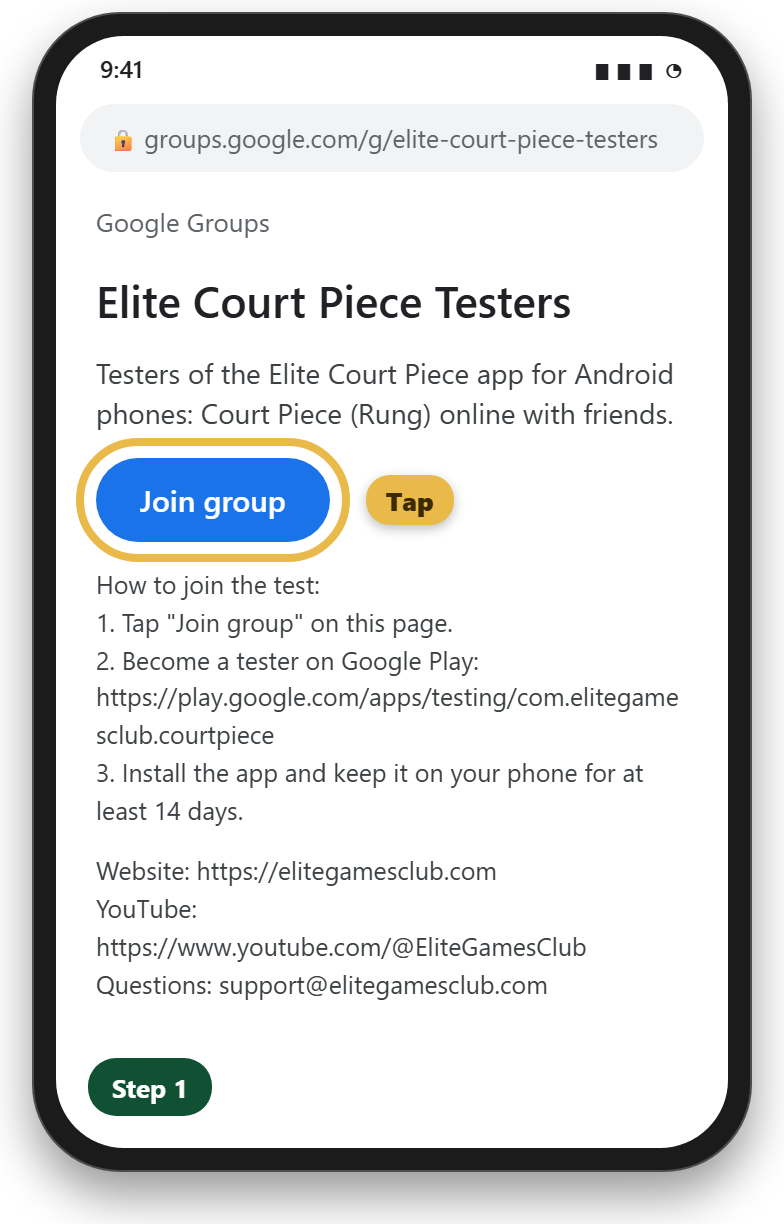
Step 1: tap Join group.
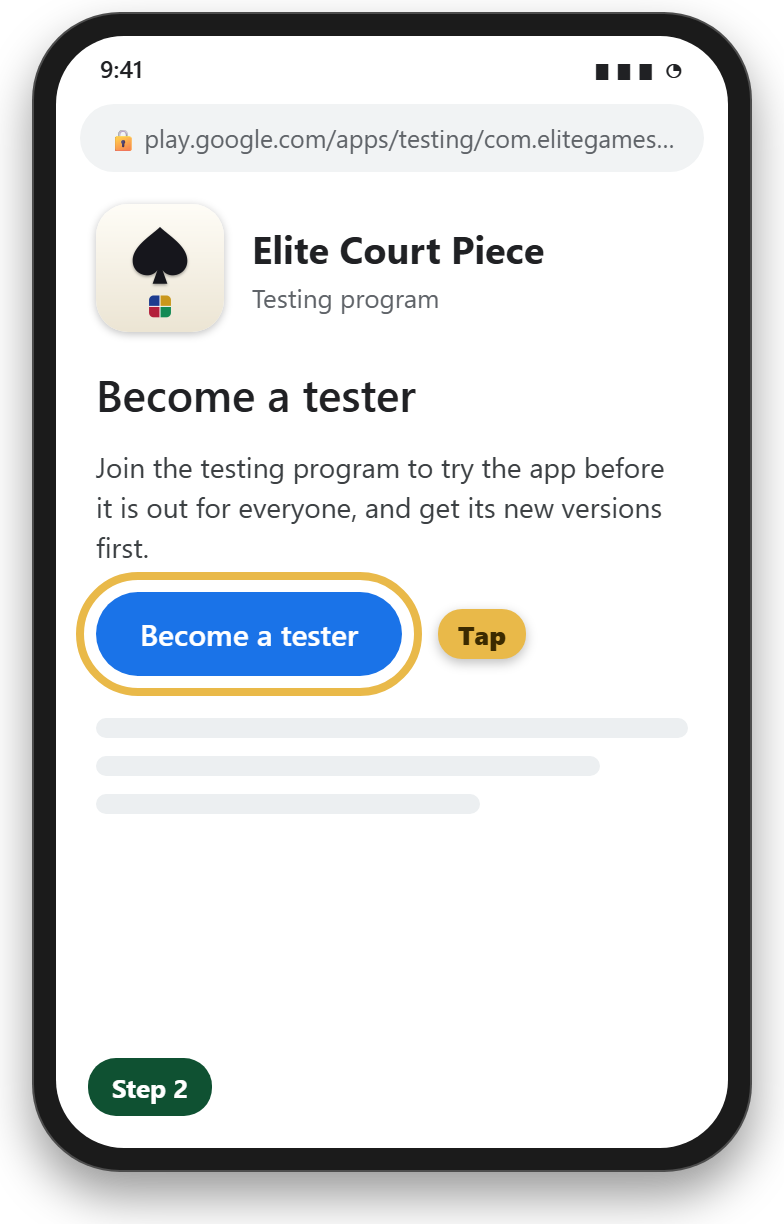
Step 2: tap Become a tester.
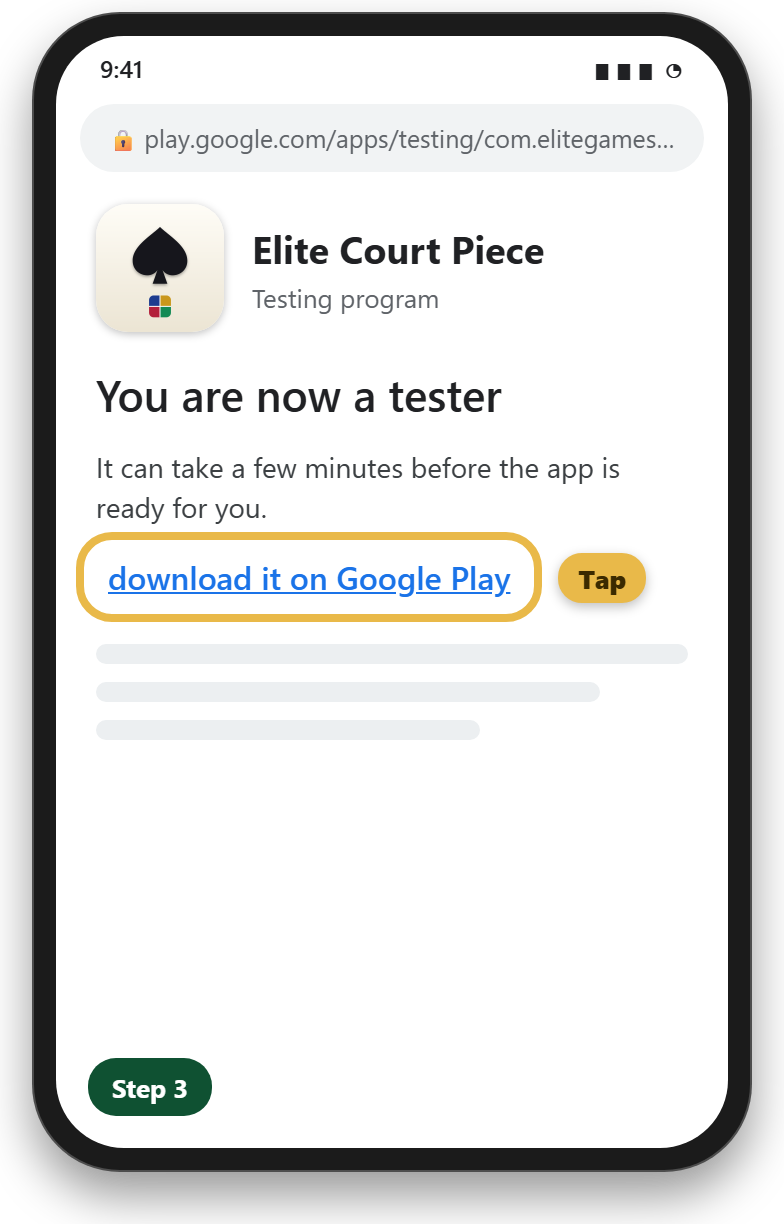
Step 3: tap download it on Google Play.
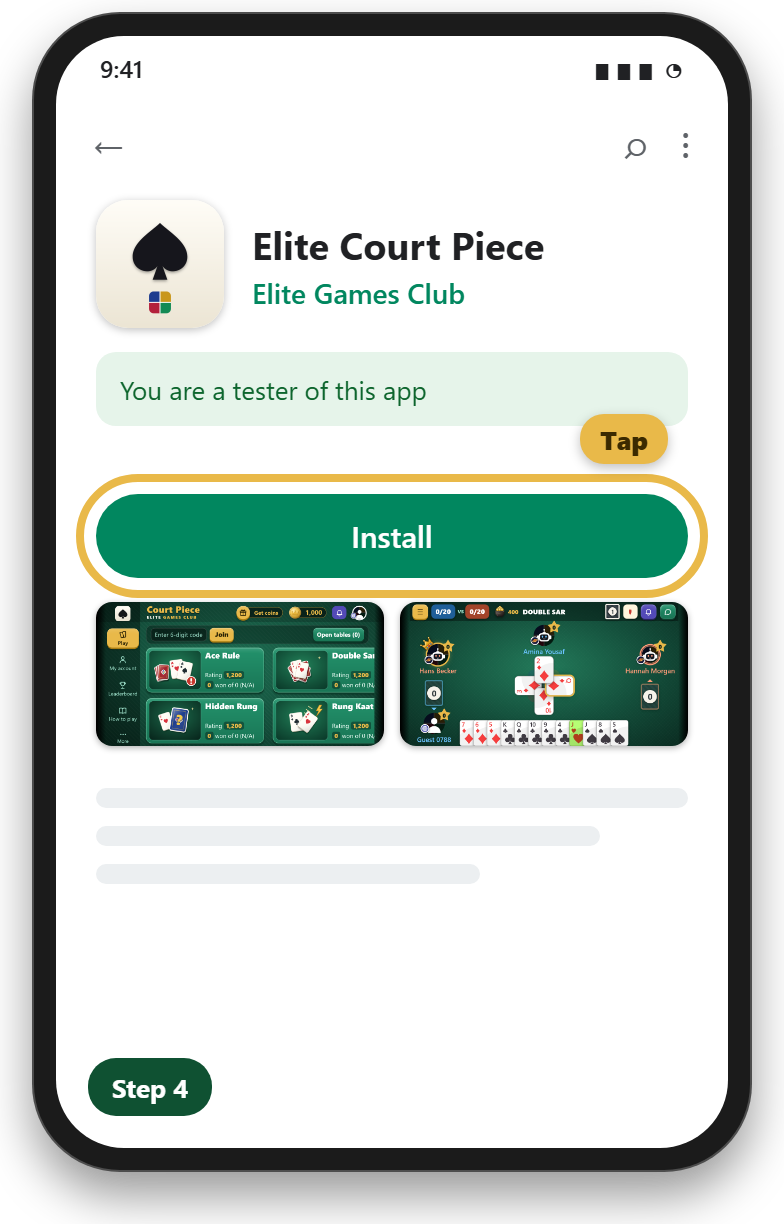
Step 4: tap Install.
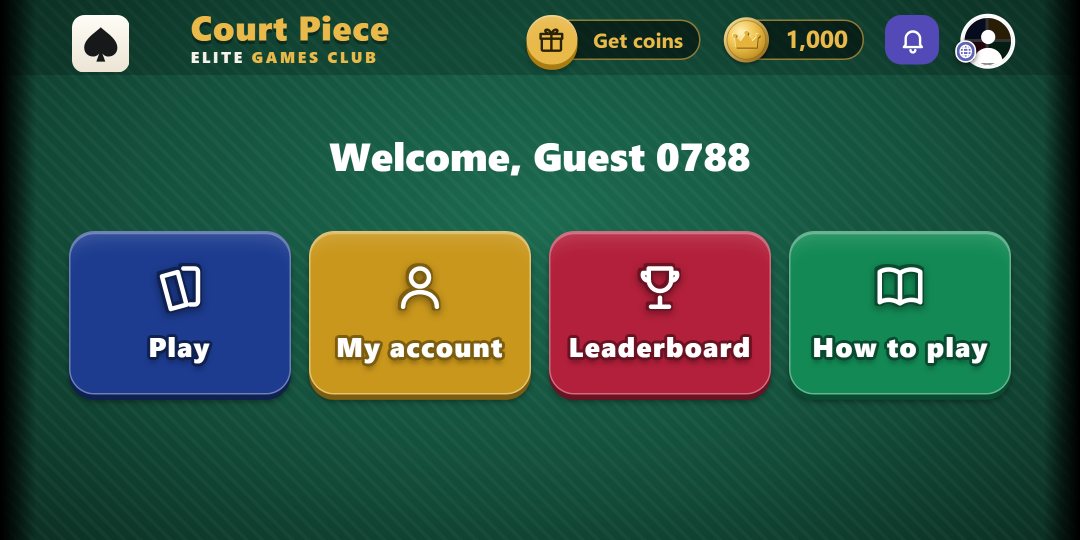
Step 5: logged in, Welcome back.
If something does not work
- “Not found” or “not available” on Google Play: check you joined the group and tapped Become a tester, both with the same Google account as your Play Store. It can take a few minutes to start working.
- Already have the app from a file we sent you? There is no need to uninstall it. Join the test, and Google Play updates it for you.
- Not offered in your country? Google Play does not offer games with coin betting in Algeria, Iran, Libya, Qatar, Syria and Yemen. You can still play on elitegamesclub.com.
- Anything else: email us at support@elitegamesclub.com.
Watch us play
See Court Piece played on our YouTube channel: www.youtube.com/@EliteGamesClub
And keep playing on elitegamesclub.com too: one account for the website and the app.
Thank you for helping us launch Elite Court Piece!